
Your desk.
Reimagined.
A compact display format brings moving visuals into a personal workspace, shelf display or creative corner.
HOLOVISTA / DESKTOP COLLECTION
A compact floating-image display with an integrated battery and speaker. Catalog specifications apply to the version shown; confirm your hardware revision before ordering.
Couldn't load pickup availability
Bring color, motion and sound to a smaller space. The P20S battery-and-speaker configuration combines a compact desktop format with the floating-image effect of a rotating RGB LED arm.
| Model | P20S |
|---|---|
| Display diameter | 18.5 cm |
| Light source | 128 RGB LEDs |
| Catalog resolution | 1024 × 256 |
| Device input | 5 V / 3 A |
| Rated power | 10 W |
| Storage | 8 GB |
These figures follow the supplier consumer catalog for this configuration. Similar marketplace listings may describe different hardware revisions. Confirm the final model and package before ordering.
Prepare compatible animation or video content, transfer it using the supported software, and position the unit securely. High-contrast content and a simple background help the effect read clearly.
The image is created by persistence of vision from rotating LEDs; it is not a laser projection into empty air. Brightness and appearance vary with content, ambient lighting and viewing angle. Demo content and family photographs do not guarantee included accessories.
Use on a stable indoor surface. Keep the rotating area clear and switch off before moving, opening or adjusting the display. Confirm the enclosure and power equipment included with your selected configuration.
Contact HoloVista 3D to confirm the hardware version, package contents, plug, destination, shipping cost and delivery estimate.
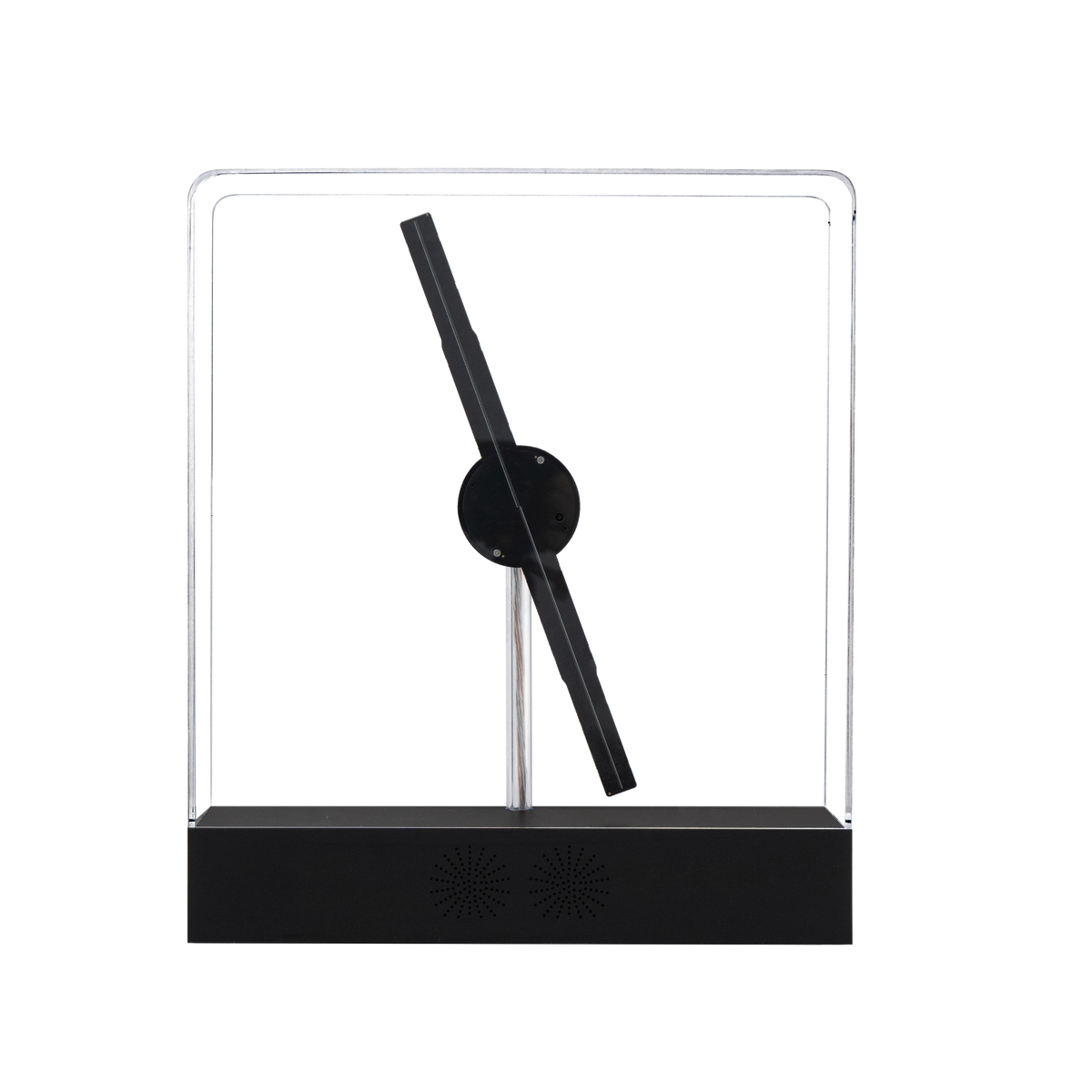
MEET P20S / ANOTHER DIMENSION OF DESKTOP
An enclosed desktop format with a built-in battery and speaker. Bring color, motion and a sense of discovery to the space you spend time in.
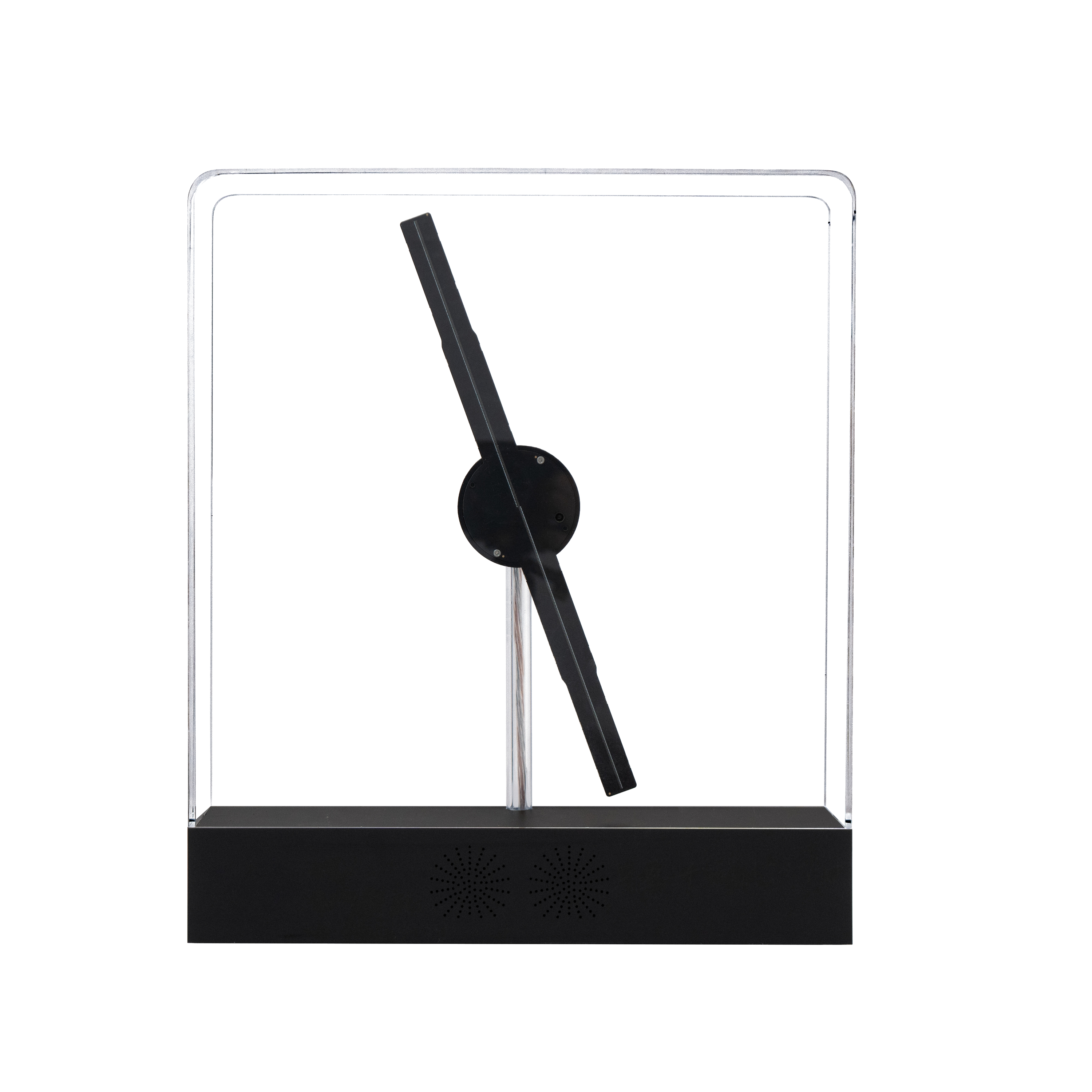
Catalog hardware · battery-and-speaker configuration
A compact display format brings moving visuals into a personal workspace, shelf display or creative corner.
The catalog configuration includes an integrated rechargeable battery. Confirm runtime and charging details for your selected revision.
Use compatible animations, images or video with the supported mobile app and Windows software.
8 GB of built-in storage for compatible content. Organize short loops around your space, campaign or creative idea.
An integrated speaker adds an audio option. Check audio compatibility and controls for your hardware version.
THE MOTION LIBRARY
Explore different kinds of content in supplier footage. These videos show desktop-family hardware; enclosure, size and configuration may differ from this P20S.
CHOOSE A DEMONSTRATION
Use the player controls to start or pause. Demonstrations show the visual effect, not a guaranteed accessory bundle or exact P20S revision.
THE SIZE. THE FORMAT. THE RIGHT PLACE.
The 18.5 cm figure describes the catalog display area, not the size of the complete enclosure. Check the outer dimensions of your selected revision before planning a shelf or recess.
Display area ≠ complete device size
Outer dimensions are not confirmed for the selected P20S revision. Measure or request the exact dimensions before choosing an enclosed display location.
The catalog device input is 5 V / 3 A, with 10 W rated power. Use the specified power equipment. A mains adapter's input voltage is a separate rating.
Keep the base stable and the enclosure upright. Confirm battery runtime for any planned session away from a power source.
LOOK A LITTLE CLOSER
Tap a numbered point to explore the format and the decisions behind your display.
DESIGN EXPLORER / P20S
The catalog display diameter describes the area drawn by the rotating LEDs, rather than the outer dimensions of the full device. Keep subjects clear and centered for content that reads well.
The P20S catalog hardware places the rotating assembly in a desktop enclosure. Confirm the exact enclosure and hardware revision for your order, and power off before moving or adjusting.
The P20S catalog configuration includes a rechargeable battery and speaker. Runtime, capacity and charging details depend on the selected production batch.
COMPACT DOESN'T HAVE TO BE ORDINARY
With an 18.5 cm catalog display, built-in battery and speaker, P20S offers a different balance: less desktop space, with more features integrated into the base.
THE HARDWARE, UP CLOSE
Details from the same P20S catalog hardware image, shown without a simulated light effect.
A desktop enclosure frames the rotating assembly. Keep it upright and avoid applying pressure when moving the device.
The central hub supports the rotating LED arm. Power off and wait for it to stop before handling or adjusting the unit.
The catalog configuration combines battery and speaker functions in the desktop format. Confirm audio controls and battery details for your version.
YOUR CONTENT, YOUR SIGNATURE
Try a word and a color palette. This graphic concept builder helps you describe an idea for your display—it does not generate a device-ready file or simulate the hardware.
Up to 12 characters. Keep the message simple.
We'll add the concept to the enquiry below. You review it before sending.
GIVE THE DISPLAY A PURPOSE
01 / A PERSONAL WORKSPACE
Try a favorite phrase, a geometric loop or a minimal animation. Keep the device stable and the display area clear.
02 / A CREATIVE CORNER
Use color and motion as a small focal point. Confirm the battery runtime needed for your planned session.
03 / SEASONAL MOMENTS
Refresh your compatible content for a seasonal theme or a personal occasion. Content shown here is creative direction, not an included animation pack.
Graphic moodboards illustrate content directions; they are not photographs or simulations of the device's output.
UNDERSTAND THE MAGIC
A rotating RGB LED arm draws the image over time. Your eye combines the light into a visual that appears to float. Subject, background, ambient light and viewing angle all influence the result.
This is a simplified illustration. It does not depict the actual rotation speed or guarantee a specific image brightness.
FROM YOUR FILE TO YOUR SPACE
MANUFACTURER SOFTWARE & CONNECTION GUIDE
Ruyuan lists P20S under its HOLOSCOPE desktop P-series software. Match the download to your operating system and the instructions supplied with your unit.
Watch the manufacturer's connection tutorial, then check your device manual before loading content.
Manufacturer software page ↗External manufacturer resource. Tutorial shows P-series app connection; hardware and software screens may differ by revision.
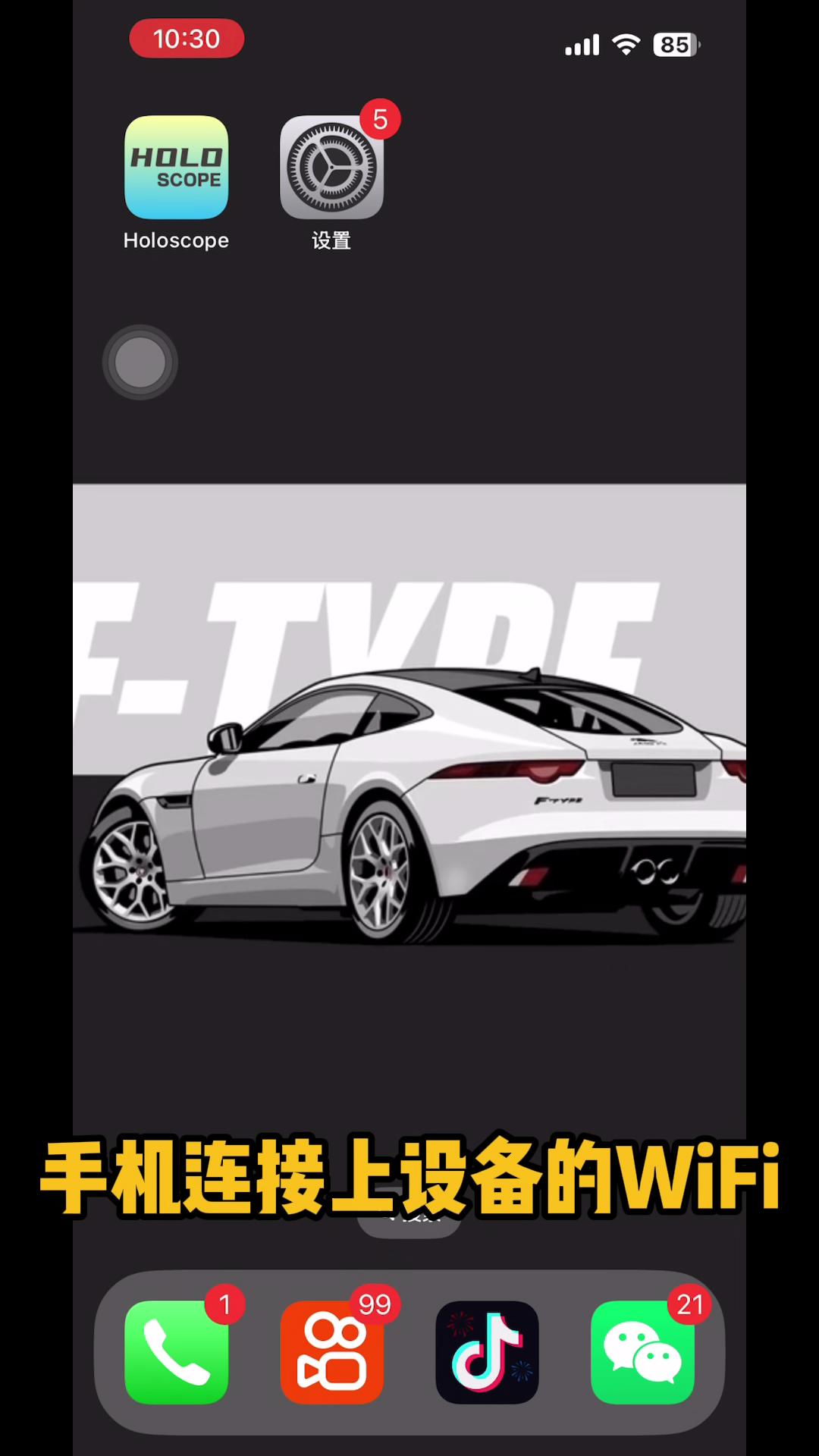 Watch manufacturer connection tutorial ↗
Use a supported file format. Favor a clear subject on a dark background, with readable forms and a short loop.
Use the supported app or Windows software. Confirm the software version and file requirements for your device.
Choose a stable indoor surface, keep the enclosure upright, and check the selected unit's power and charging requirements.
Test your content from the intended viewing position. Adjust surrounding light and background clutter to help the effect read clearly.
THE ROOM IS PART OF THE RESULT
Good placement helps the content. A few practical choices matter more than filling the room with visual noise.
Test under your actual indoor lighting. Strong reflections and a busy background can reduce the floating-image impression.
View the display from your audience's intended position. Test content legibility before settling on a final location.
Keep the unit stable and cables organized. Power off before moving, opening or adjusting the device.
SUPPLIER CATALOG SPECIFICATIONS
These figures follow the supplier consumer catalog for the configuration shown. Marketplace listings may describe another revision.
CHOOSE THE RIGHT PRIORITY
Prioritize compact size, battery and a built-in speaker.
Prefer a 28 cm open-frame display with 384 RGB LEDs?
BEFORE IT ARRIVES
Keep the product configuration and the final shipping package separate. Confirm what arrives with your specific order.
18.5 cm catalog display, 128 RGB LEDs and 8 GB storage. Battery and speaker are listed for this catalog configuration.
Ask us to confirm the exact hardware revision, power equipment, included accessories and plug for your destination. Confirm battery capacity, runtime and charging details too.
Tell us where the order is going and how many units you need. Confirm shipping cost, delivery estimate and any project requirements before ordering.
YOUR FIRST SESSION
A practical checklist to use alongside the instructions supplied with your specific P20S.
Match the model and power label to your order. Check the device, stand and supplied accessories for visible transport damage before connecting power.
Place the enclosure upright on a level surface. Carry it by the supported base; avoid pressure on the clear enclosure and rotating assembly.
Use the specified power equipment and the software version matched to your device. Follow the manual's connection sequence; network names and app screens can vary by revision.
Try a compatible sample first. Check the subject, orientation and lighting from the intended viewing position before preparing a full playlist.
Favor a clear silhouette, strong contrast and an uncluttered dark background. Test small lettering and fine details on the actual device before a public presentation.
Stop playback and switch off using the supplied instructions. Wait until the rotor has fully stopped before moving or cleaning. Avoid liquid entering the electronics.
Setup checklist, not a substitute for the supplied model-specific safety and operating instructions.
A BETTER FILE MAKES A BETTER FIRST IMPRESSION
A product outline, a simple brand mark or an isolated animated form is a useful starting point. Keep important details away from the edge.
Use a short message with generous spacing. Check legibility at the real viewing distance rather than relying only on your computer preview.
Use an intentional start and finish, with time for the viewer to understand the subject. Test file compatibility and playback on the selected hardware.
Check the supplied troubleshooting guide first. These checks help you describe the issue accurately when asking for support.
Graphic examples illustrate composition ideas; they do not simulate device output. Supported file types, dimensions and software versions must match the supplied device instructions.
KEEP THE USEFUL DETAILS
Save the model's catalog specifications and quick-start checklist. Use the supplied device manual for the exact operating sequence.
Model data, configuration notes, first-use checklist and placement guidance.
Open PDF guide ↗MANUFACTURER RESOURCEUse the manufacturer's download page and confirm the correct version for your device.
Visit software page ↗HELP WITH YOUR CONFIGURATIONInclude your model, quantity and destination, or the software version if you need setup help.
Ask HoloVista ↗A FEW MORE GOOD QUESTIONS
It is a persistence-of-vision effect created by rotating RGB LEDs, not a laser projection. The apparent floating image depends on the content, light and viewing angle.
Yes, with compatible files through the supported app or Windows software. Confirm file requirements and the software version for your device before preparing the final content.
No. It creates a graphic idea to help you describe your preferred word, palette and visual direction. A device-ready file still needs preparation and compatibility checks.
The motion library shows supplier desktop-family footage. Some videos show another enclosure or hardware configuration. Use the model-specific catalog specifications and hardware images when choosing your version.
Battery capacity, runtime and charging time have not been confirmed for the final hardware revision. Ask us to verify those details for your selected production batch before ordering.
Test with your actual room lighting. A simple background and high-contrast content usually help the floating-image impression. We do not promise the same appearance under every lighting condition.
Power off first. Use a stable indoor surface, keep the rotating area clear, and use the supplied power equipment.
No. 18.5 cm is the catalog display diameter. Request the exact outer enclosure dimensions for your selected P20S revision before choosing a shelf or recess.
Confirm the destination plug, power equipment, hardware revision and accessory list with your order. A covered unit or a custom controller in a desktop-family video does not mean that accessory is included.
This product uses a rotating assembly. A verified sound-level measurement is not available for the selected configuration. If noise matters for your room, ask for a recording of the exact version in comparable conditions before ordering.
Use the enquiry form below with the model, quantity, destination and intended use. We can then confirm configuration and order details; no fixed delivery promise is implied by this page.
LET'S MAKE IT A GOOD FIT
Tell us what you have in mind. Include quantity and destination so we can help confirm the configuration and order details.
P20S · $149.00 ↗